 MedAssistant
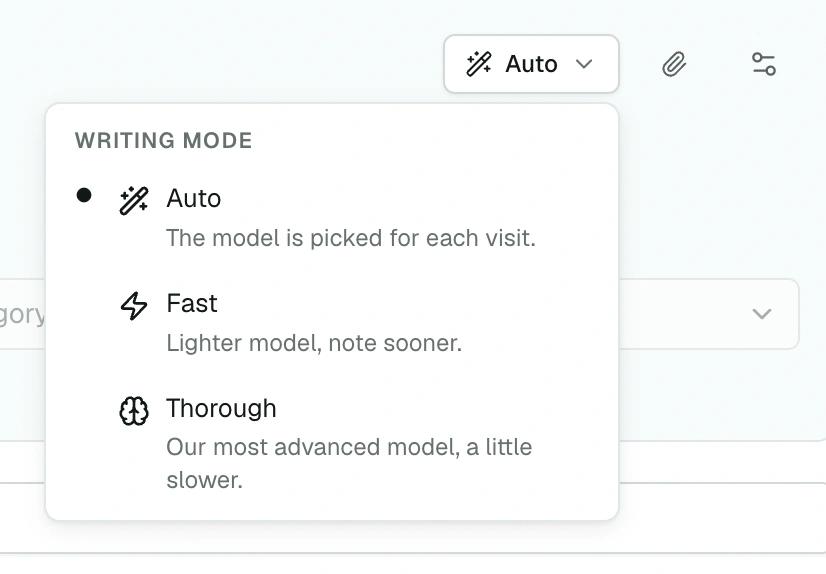
Three modes, one of them automatic
Fast to move quicker, Thorough for a busy visit. In Auto mode, the Scribe picks on its own based on the visit and tells you why.
Heidi · Notes generated from the visit, with adjustable style3.
With MedAssistant Professional, the note starts with the patient’s answers. Adaptive questionnaires, the pre-visit agent and the scribe are included with unlimited use, alongside custom templates and form filling. See how the plan compares with Heidi Clinician Standard.
Comparison by MedAssistant. Sources reviewed on November 21, 2026. See sources.
MedAssistant Professional and Heidi Clinician Standard, from visit preparation through forms and note retention.
| Criterion | MedAssistant | Heidi |
|---|---|---|
| Before the visit | ||
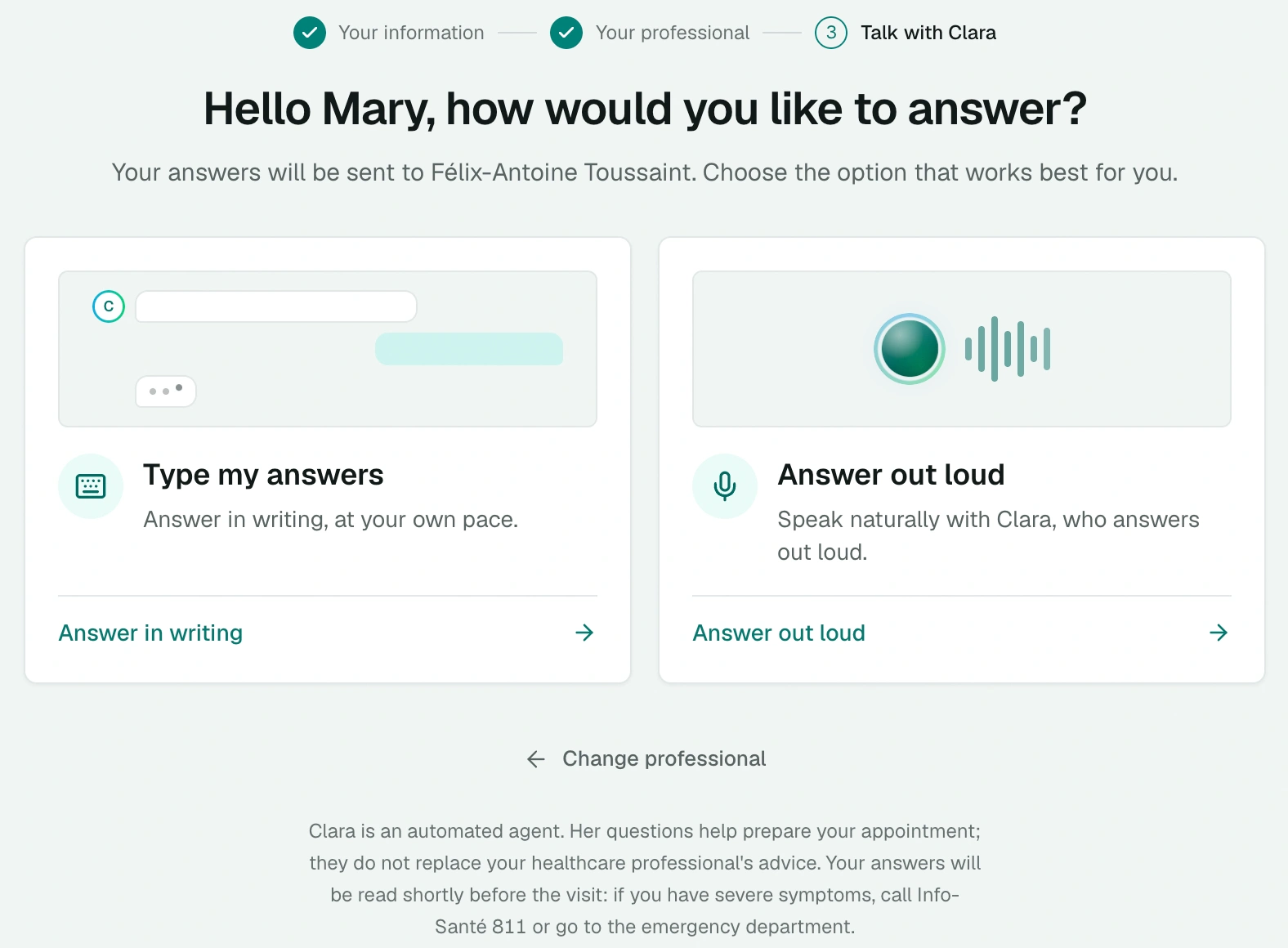
| Visit preparation | MedAssistantPatients answer an adaptive questionnaire or talk to an agent by text or voice. Their answers inform the scribe’s note. | HeidiClinicians can add preparation notes and documents before a session.3 |
| The Scribe | ||
| How the note is written | MedAssistantFast, Thorough or Auto mode, where the Scribe picks based on the visit | HeidiNotes generated from the visit, with adjustable style3 |
| Templates | MedAssistantScribes by profession, your own Scribes built with an assistant, note preferences | HeidiCustomizable advanced templates and a community template library1 |
| Follow-ups for the same patient | MedAssistantThe follow-up note rereads the visit's previous notes | HeidiPatient profile linked to sessions, with clinical context and up to three recent prior sessions4 |
| Forms | MedAssistantCNESST medical certificate and your PDF forms, filled in within MedAssistant, whatever your EMR | HeidiPDF forms filled from the session5 |
| Attachments used in the note | MedAssistantThe scribe reads PDFs attached to the consultation and uses their contents to write the note. | HeidiHeidi can use results, correspondence and previous notes added to the session context.3 |
| Price | ||
| Per person, billed monthly | MedAssistant$99 | Heidi$1301 |
| Retention | ||
| Note and transcript | MedAssistant48 hours at sign-up; from 24 hours to indefinitely, your choice | HeidiNotes and transcripts are kept by default. Automatic deletion can be configured for the whole session.2 |
| Compliance | ||
| Santé Québec TGV certification | MedAssistantCertified6 | HeidiCertified6 |
| Québec Law 25 | MedAssistantCompliance declared8 | HeidiCompliance declared9 |
| Act respecting health and social services information (2023, c. 5) | MedAssistantCompliance declared8 | HeidiConfirm with Heidi9 |
Choose MedAssistant if you want to gather patient answers before a visit, customize your notes and fill out forms in one plan. Consider Heidi Clinician Standard if you prioritize clinical references during a visit, full-text journal access or automations with a monthly allowance1.
Prepare for visits with patients, write notes with your own templates, and fill out PDFs, including Quebec’s CNESST medical certificate. Web and mobile apps and technical support are also included.
MedAssistant Professional and Heidi Clinician Standard
MedAssistant
$99
per month
Save $372 with MedAssistant over 12 months at monthly rates, before tax.
Per-person prices in Canadian dollars, before tax. Heidi Clinician Standard is also available at $100 per month billed annually. Heidi also offers a free basic plan with limited access to advanced features1.
Both tools create notes from a visit1. Here is how you can tailor documentation in MedAssistant.
Fast to move quicker, Thorough for a busy visit. In Auto mode, the Scribe picks on its own based on the visit and tells you why.
Heidi · Notes generated from the visit, with adjustable style3.
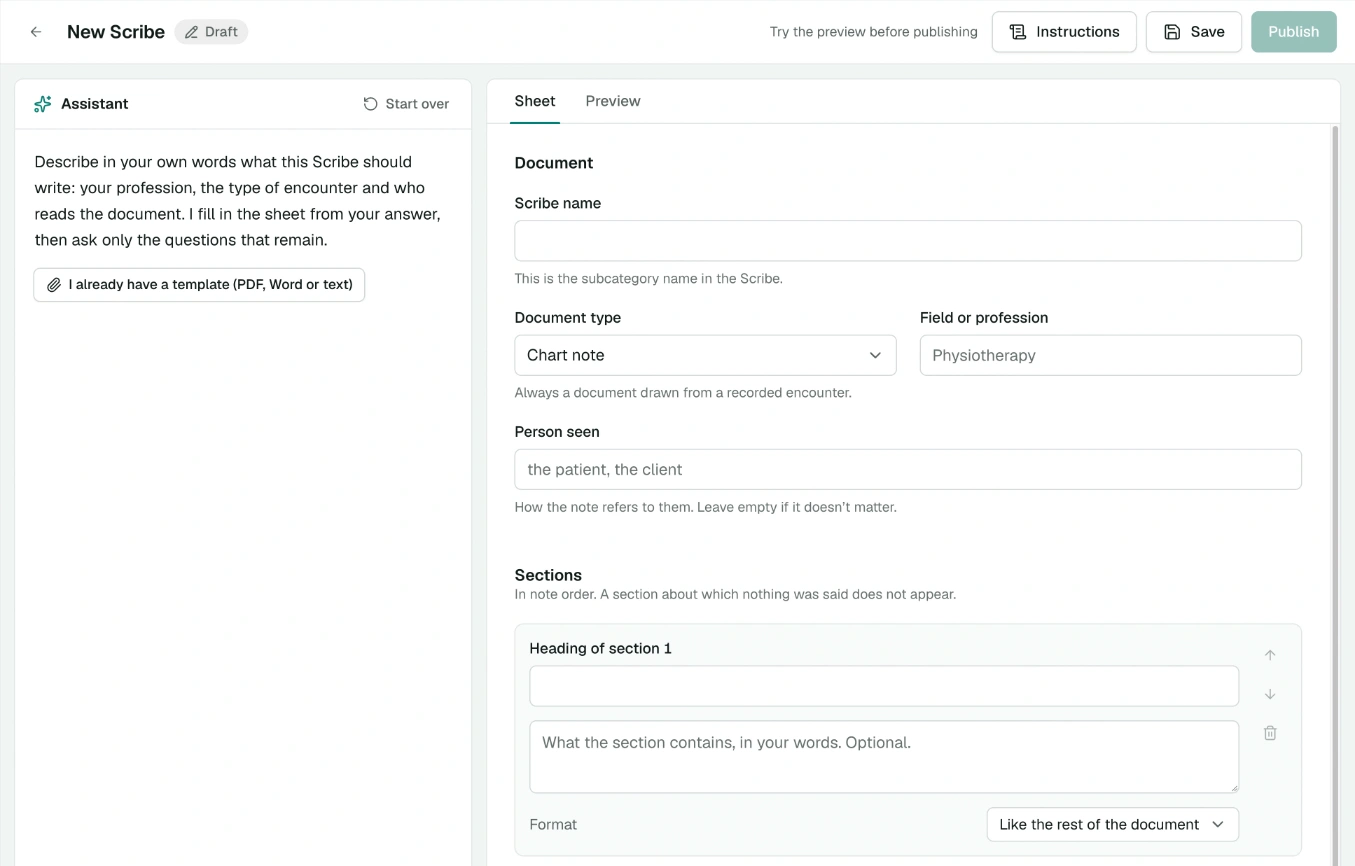
A catalogue of Scribes by profession and type of visit. For a document it doesn't cover, an assistant helps you build your own and tries it on a sample visit. Your corrected notes then improve it.
Heidi · Customizable advanced templates and a community template library31.
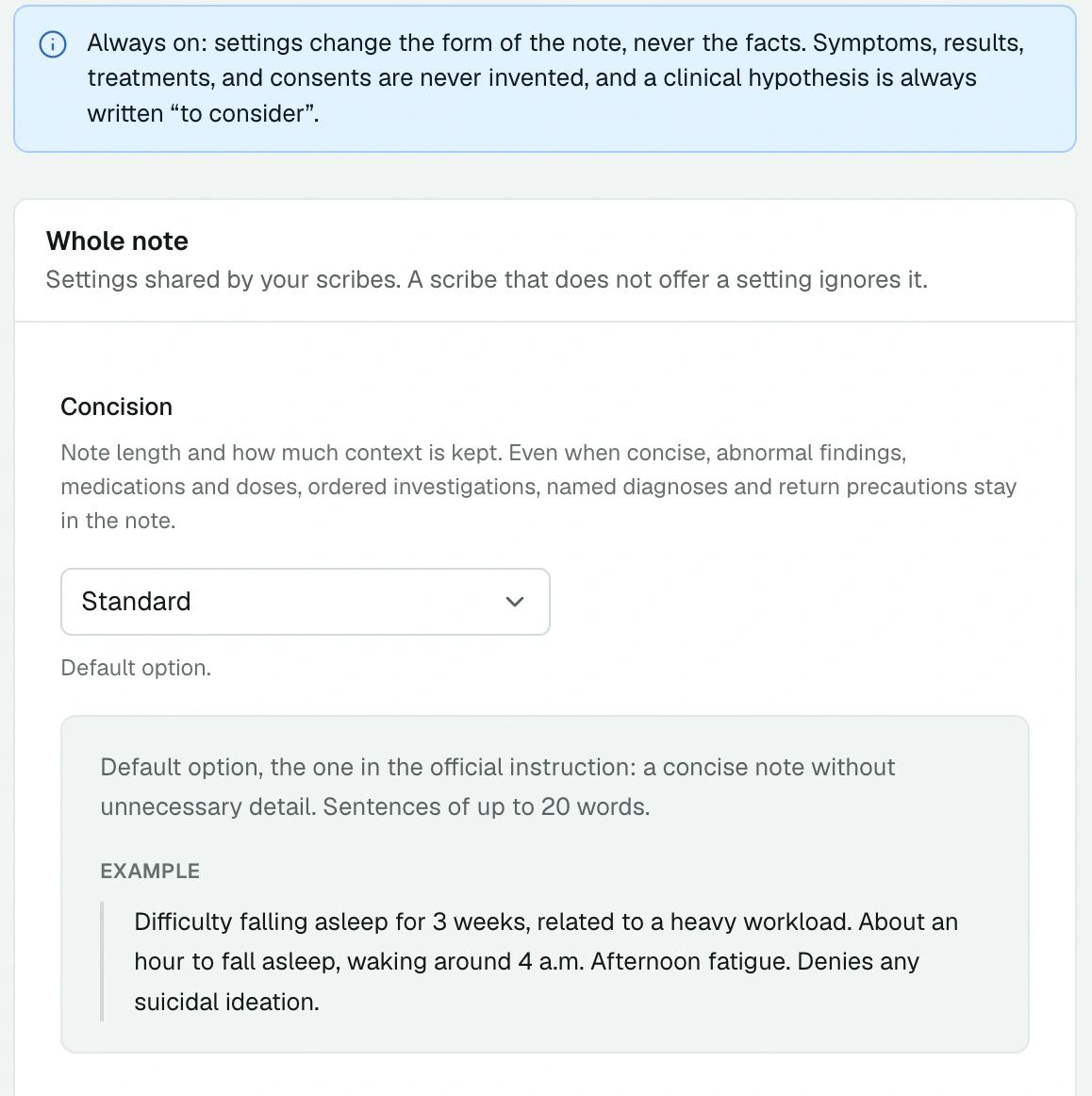
Set concision, style and how each section behaves once, then add your own instructions. Every note applies them.
Heidi · Notes generated from the visit, with adjustable style3.
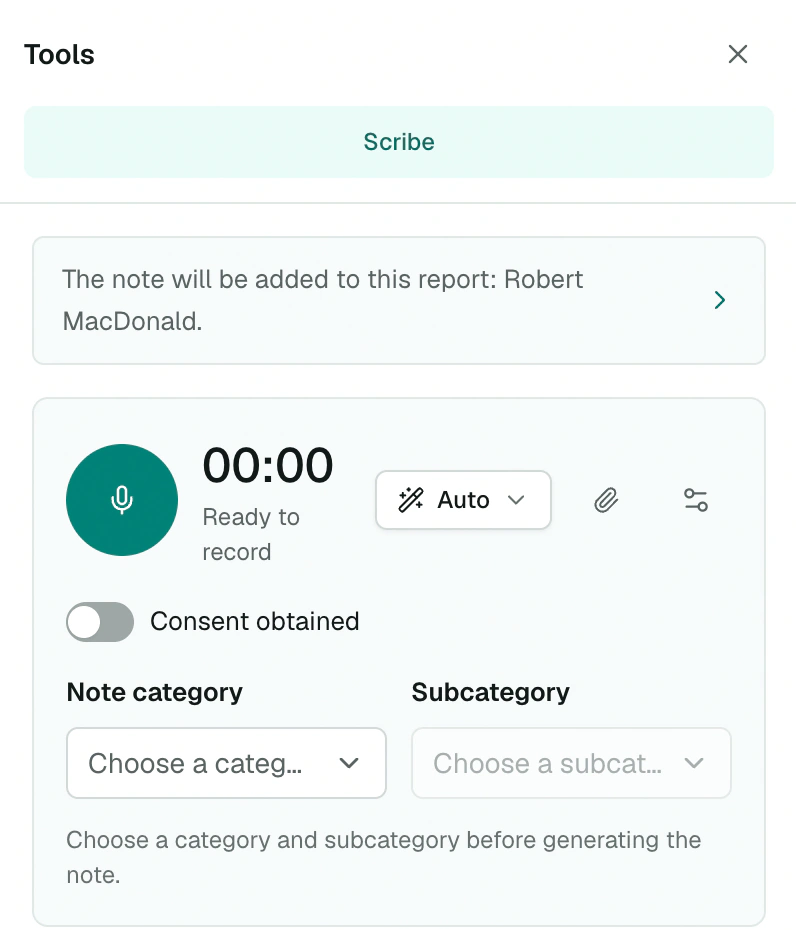
Add a follow-up to a visit: the Scribe rereads the previous notes, as you corrected them, and reports what has changed since the last visit.
Heidi · Patient profile linked to sessions, with clinical context and up to three recent prior sessions4.
At sign-up, MedAssistant deletes the audio, transcript and note after 48 hours. Your manager sets each period themselves, separately, to shorten or extend it.
MedAssistant isn't your medical record: copy into your EMR whatever you need to keep.
| Data | At sign-up | What you can choose7 |
|---|---|---|
| Scribe audio | 48 hours | After processing, 24 hours or 48 hours |
| Transcript | 48 hours | 24 hours, 48 hours, 7, 15, 30 or 90 days, or indefinitely |
| Scribe note | 48 hours | |
| Agent report | 15 days | Same options as the note |
| Questionnaires | 15 days |
In Heidi Sessions, notes and transcripts are kept by default. You can enable automatic deletion for sessions2.
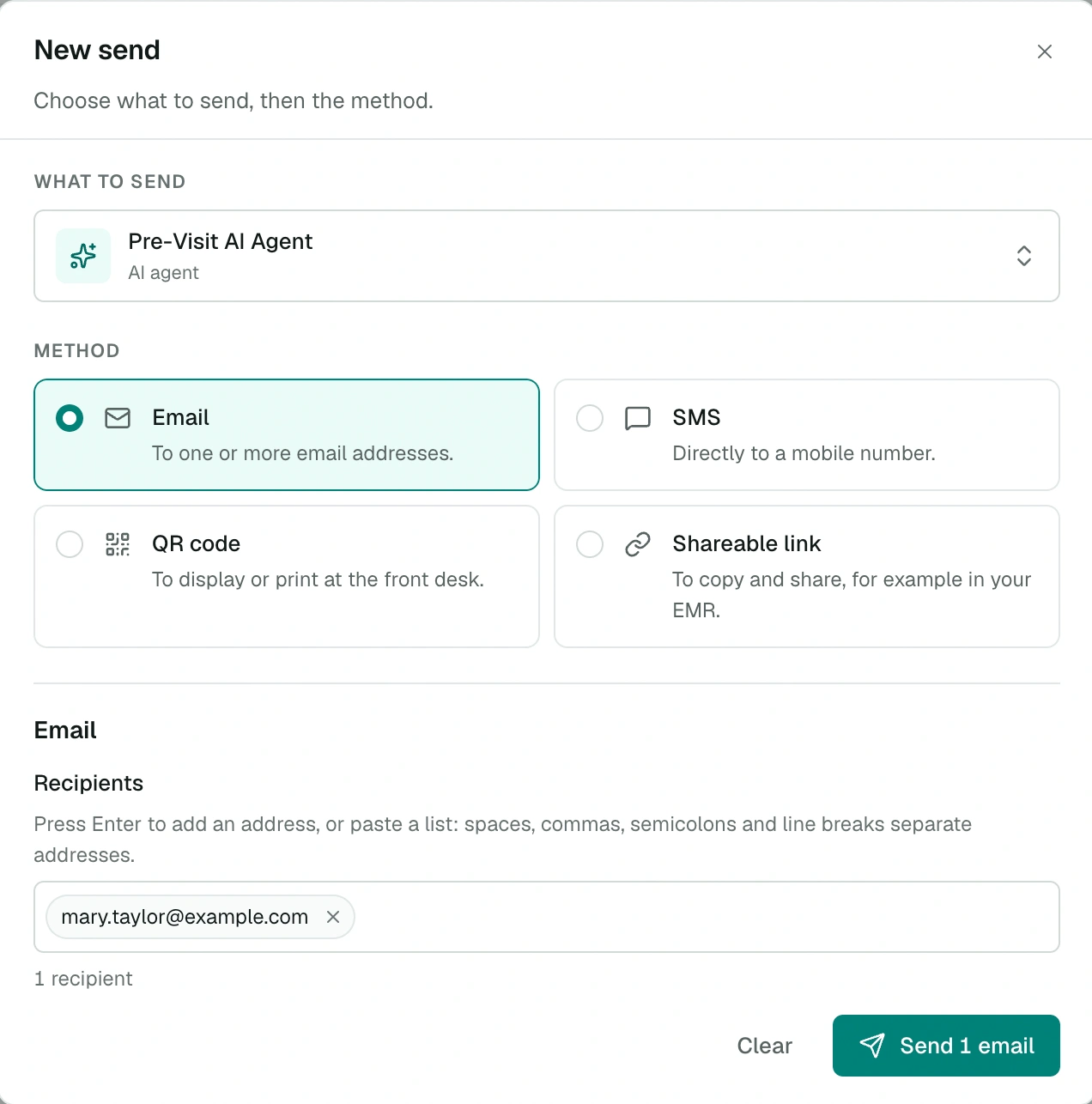
With MedAssistant, patients tell their story before they walk into your office. The Scribe starts from their answers, and you start from a ready summary.
Heidi lets clinicians add notes and documents before a session3. Its agents and automations draw from a monthly allowance on Clinician Standard1.
On these points, there's no choice to make: both products offer them.
Another question? Email us at info@medassistant.ca or call us at 1-514-688-4394.
Sources consulted on November 21, 2026. Has something changed? Email us at info@medassistant.ca: we'll correct the page.
Published by MedAssistant, which is unaffiliated with Heidi.
One month free, no credit card.